
Loading Stone ARX...
Owner / Seller Workspace
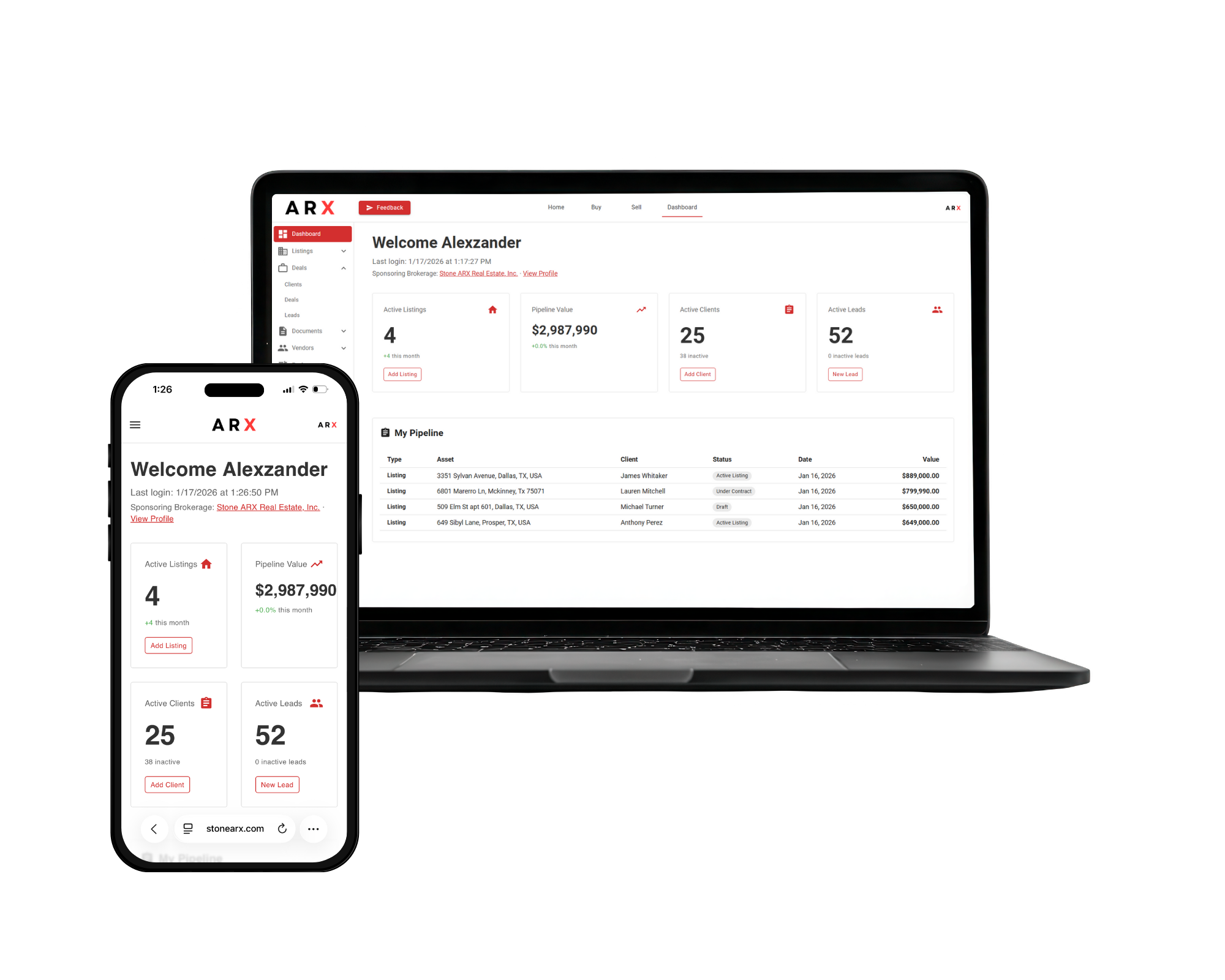
The seller experience now reflects the real ARX surfaces: property overview, value history, listing status, document control, sell scenarios, local-market insight, prep checklists, and direct access to agents and title partners.
Property overview
Value history
Sell scenarios
Inside ARX
Property Overview
Value History
Listing
Documents
Built for daily use
ARX keeps the real work visible instead of splitting it across disconnected tools, inboxes, and handoffs.
The seller experience is anchored around property-level control, not scattered forms. Owners can work from overview, value history, listing, and document surfaces tied to the property itself.
ARX already includes seller opportunity tools that go beyond posting a listing, including scenario planning, value optimization, market timing, and refinance pathways.
Owners can work with local market, demand trend, and pricing insight views instead of relying only on periodic updates from another party.
The seller side includes agent discovery, title-company and vendor connections, and guided prep resources while keeping settings, privacy, and activity visibility under the user account.
Workflow
The work has a clear path, so users can see what moves next without digging through separate systems.
Step 01
Property details + disclosures
Move through property details, seller disclosures, utilities and legal information, pricing preferences, and agent selection with a structured sell flow.
Step 02
Value history + local market
Review value history, pricing insight, demand trends, and local market context before the property is pushed out.
Step 03
Listing + documents
Manage the listing state, supporting documents, and secure sharing so the property is presented cleanly and consistently.
Step 04
Scenarios + market timing
Compare sell scenarios, optimize value, review refinance options, and use market timing inputs before committing to the next move.
Step 05
Checklist + partners
Use prep checklists and direct access to agents, vendors, and title companies to keep the closing path visible and organized.
Workspace coverage
The marketing page now names the actual seller and owner workspaces that exist in the platform, instead of collapsing everything into “list and close.”
The page should explain the workflow clearly instead of making people decode a long positioning document.
No. The seller experience includes document, privacy, and account controls, plus clear activity visibility inside the owner workspace.
No. ARX is useful before launch as well, with structured prep, disclosures, pricing preferences, value tracking, and scenario planning.
Yes, but ARX keeps those relationships organized. Agent, vendor, and title-company access is part of the flow instead of a separate handoff.
Ready to start
Join ARX to keep the workflow, people, files, and next steps inside one operating layer built for real estate work.